
Nerdaxe Gaia: firmware update in your browser
For the Nerdaxe Gaia and the Gaia Pro (BM1373 ASIC): install firmware over USB-C, as an update or a factory reset. The flasher detects whether firmware for the Gaia or the Gaia Pro is currently running.
- 1Connect
- 2Choose firmware
- 3Install
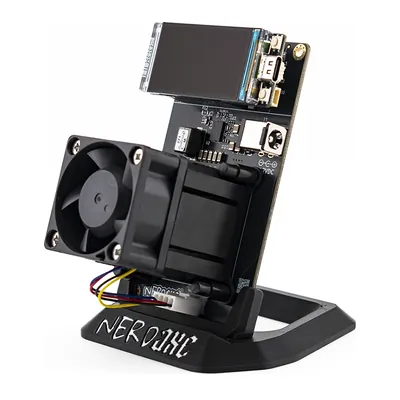
Choose your miner
Click a tile or let the flasher detect it over USB.
Recovery: bring a miner back to life
For miners that no longer boot, show a black display, run the wrong firmware or no longer join the WiFi.
- Power off. Unplug the power supply and the USB cable so the miner is completely off.
- Hold BOOT. Hold the button labelled BOOT on the board, plug the USB-C data cable into your computer and the power supply back in, release after two seconds. The miner now starts in flash mode, the display stays dark.
- Connect. Click “Connect miner” and pick the port, usually “USB JTAG/serial debug unit”.
- Check the device. If it is detected, everything is preselected. Otherwise pick the tile, or your board’s image under “All factory images”.
- Start the factory reset. This rewrites the firmware completely. Afterwards you set the miner up again.
Loading firmware list …
Bitaxe
Nerdaxe · NerdQaxe · NerdQX · NerdOctaxe
Choose firmware
Both variants come straight from the GitHub releases.
Our server passes the files through unchanged. Before writing, the flasher checks the SHA-256 checksum against the GitHub release, afterwards it verifies the flash contents.
Install type
The factory reset is the default.
All factory images (for other boards)
Always writes the full factory image (factory reset). Only use it if you know your board for sure. The flasher warns if the connected board does not match the image.
Installing
Do not unplug the miner and keep this window open.
Technical log
Nerdaxe Gaia at a glance
- ASICBM1373, one chip
- Display1.9″ TFT (LILYGO T-Display S3)
- FirmwareOSM-OS-Nerdaxe; the original NerdQAxePlus project has beta only (Gaia) or nothing yet (Gaia Pro)
- Factory images
factory-NerdAxeGaia,factory-NerdAxeGaiaPro - Update files
esp-miner-NerdAxeGaia.binoresp-miner-NerdAxeGaiaPro.bin, pluswww.bin - WiFi after factory reset
Nerdaxe_XXXX, the name is shown on the display
Gaia or Gaia Pro?
The Gaia Pro is a Gaia with the AXP60 Copper Pro cooler and its own firmware image, shipping at about 3 TH/s instead of 2.6 TH/s. Pick the tile of your model. Before writing, the flasher reads which firmware is running and asks if it does not match your selection.
Why OSM-OS?
For the Gaia the original NerdQAxePlus project only has pre-releases (beta) so far, for the Gaia Pro none at all. OSM-OS-Nerdaxe provides factory image and update package for both. You see the original beta when you turn on “Show beta versions”.
Update or factory reset?
The factory reset is the default: it resets the miner to the defaults of the chosen firmware, then you set it up again through its hotspot. The flasher shows you your previous settings first, so you do not have to look anything up. With “Update”, WiFi, pool and Bitcoin address are kept and only the firmware is replaced.
Nerdaxe Gaia does not start any more?
Black display, boot loop or wrong firmware: in recovery mode you put the ESP32-S3 into flash mode with the BOOT button and write the factory image again. The flasher guides you through every step.
More on updating: AxeOS update guide · Setup after a reset
Frequently asked questions
Which firmware runs on the Nerdaxe Gaia?
A variant of the NerdQAxePlus firmware with the AxeOS interface. We recommend OSM-OS-Nerdaxe; the original project only has beta versions for the Gaia so far.
Which files does the update need?
The app file esp-miner-NerdAxeGaia.bin (esp-miner-NerdAxeGaiaPro.bin on the Gaia Pro) and www.bin for the web interface. The flasher writes both in one go; in the AxeOS interface you upload the files one after the other.
What is the Gaia’s WiFi called after a factory reset?
Nerdaxe_ plus four characters from the MAC address, for example Nerdaxe_A1B2. The flasher shows you the exact name after the reset, and it is also on the display.
Can I switch between OSM-OS and the original?
Yes. Both use the same partition layout. For a clean switch use the factory reset, then the defaults of the new firmware apply.
More devices
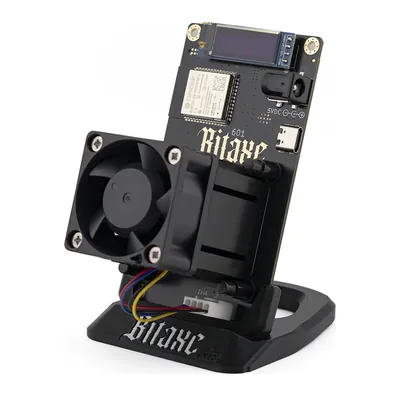 Bitaxe Gamma
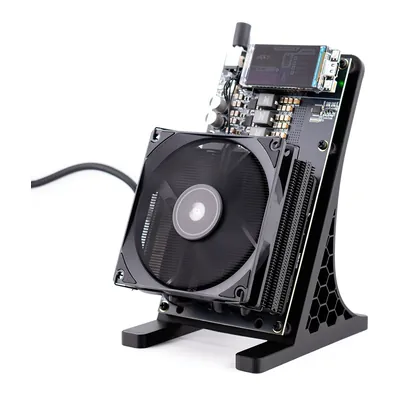 NerdQaxe++
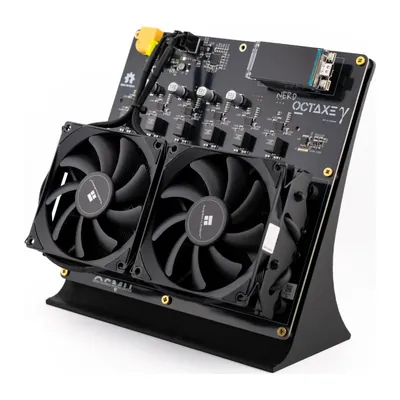 NerdOctaxe
Get a Nerdaxe Gaia
Tested, in stock, shipped from the EU.